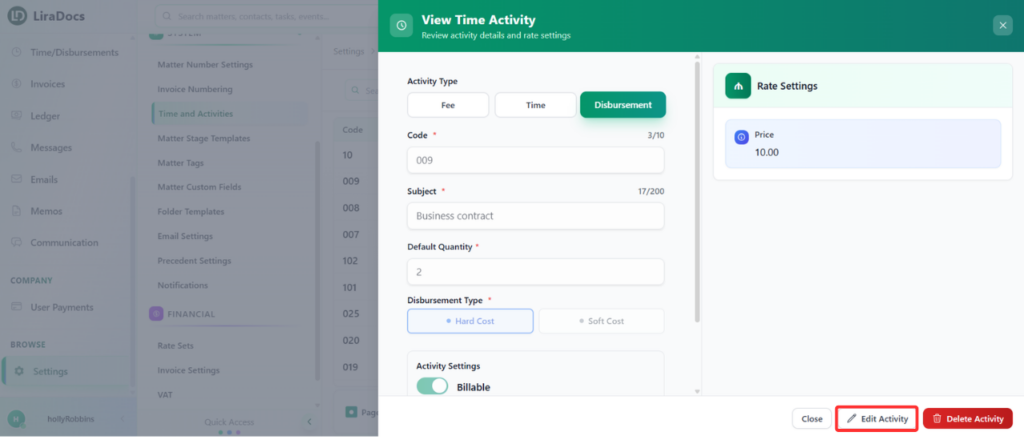
Time fee activities in Liradocs allow you to record billable or non-billable hours associated with a matter. If you need to update an existing time fee activity, follow these steps.
Step 1: Navigate to Time & Activities
Go to Settings in Liradocs.
From the settings menu, select Time and Activities.
Step 2: Select the Activity to Edit
Browse the list of existing activities and locate the time fee activity you want to edit.
Click on the activity to open its details.
Step 3: Edit the Activity
Click the Edit button to make changes.
Update the necessary fields, for example:
Default Quantity: Change the default time or units associated with this activity.
Billable Status: Set the activity as billable or non-billable according to your requirements.
Step 4: Save Changes
Once all updates are made, click Update.
Your time fee activity is now successfully updated in Liradocs.
These steps ensure that your activities remain accurate and reflect the correct billing and time-tracking information for your matters.