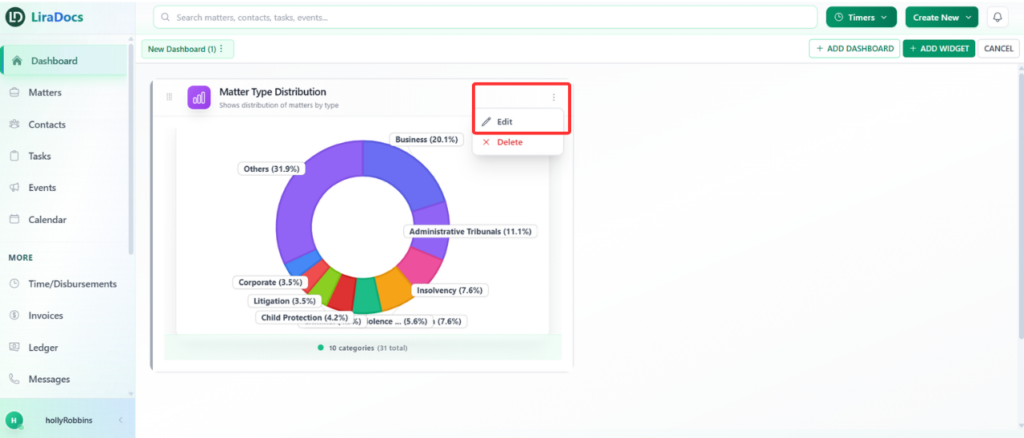
Dashboard widgets in Liradocs can be easily updated if you need to change how information is displayed. You can modify widget settings such as the display name, fields shown, colors, or refresh interval.
Follow the steps below to edit a dashboard widget.
Step 1: Locate the Widget
First, go to your Dashboard and find the widget that you want to edit.
Step 2: Open the Widget Options
On the widget, click the three dots (options menu) located on the widget.
From the dropdown menu, select Edit.
Step 3: Make the Required Changes
You can now modify the widget settings according to your needs. For example, you may update the widget’s display name, adjust the fields being displayed, or change other available options.
Step 4: Save Your Changes
Once you have finished making the changes, click the Save Changes button.
Your widget will now be updated and the new settings will be applied to the dashboard.