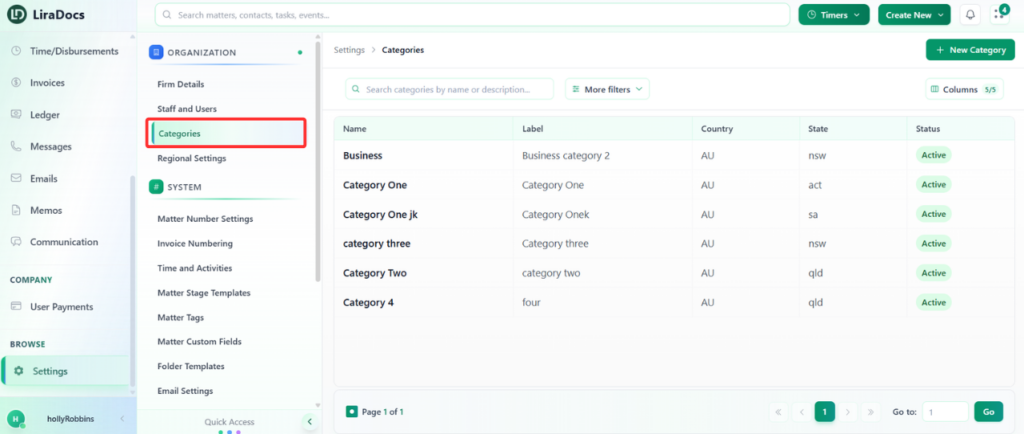
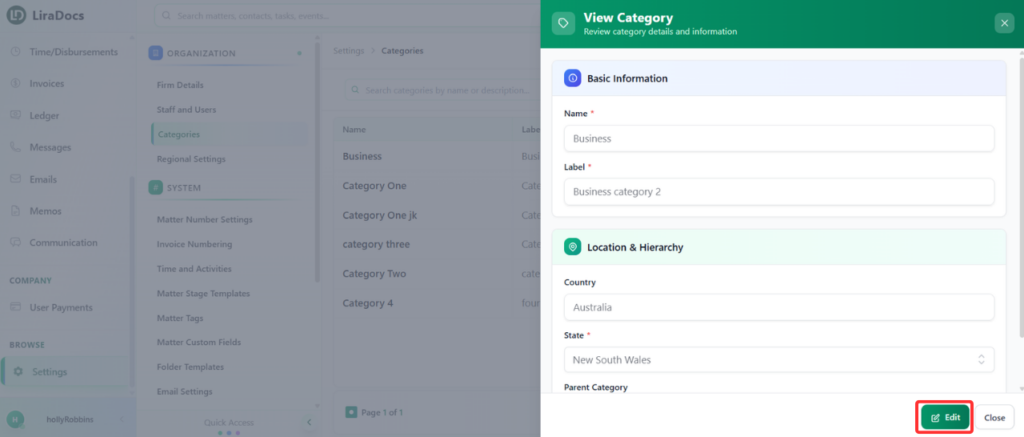
How to Edit a Matter Category Estimated reading: 1 minute 11 views You can easily update an existing matter category in Liradocs to keep your matter organization accurate and up to date.Follow the steps below to edit a matter category.Step 1: Go to CategoriesNavigate to Settings in Liradocs.From the settings menu, select Categories. Step 2: Open the CategoryFrom the list of categories, locate the category you want to edit.Click on the category to open it. Step 3: Make ChangesClick the Edit button.Update the required details, such as:Label: Modify the name of the categoryState: Change the associated state if neededStep 4: Update the CategoryAfter making the necessary changes, click the Update button.Your matter category is now successfully updated in Liradocs.