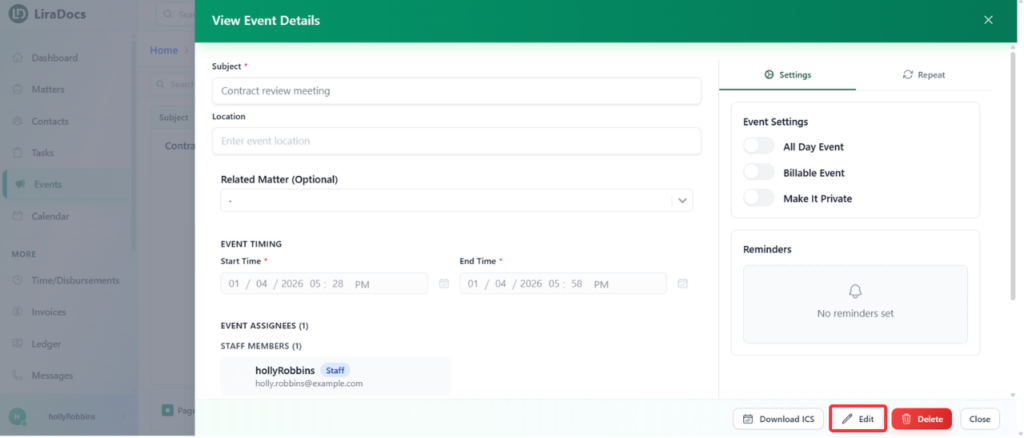
Events in Liradocs allow you to track important dates, appointments, and deadlines. If you need to update an existing event, follow these steps.
Step 1: Go to the Events Tab
Navigate to the Events tab in Liradocs.
This tab displays a list of all your events, including upcoming, past, and recurring events.
Step 2: Select the Event to Edit
From the list, find the event you want to edit.
Click on the event to open its details.
Step 3: Edit the Event
Click the Edit button to make changes to the event.
Update the details as needed, for example:
Remove or update additional notes
Adjust the start or end time of the event
Change other event-related details such as location or reminders
Step 4: Save Changes
Once you have made all required updates, click the Save button.
Your event is now successfully updated in Liradocs.
Editing events ensures that your schedule remains accurate and up-to-date, helping you stay organized and on track with all your important tasks and appointments.