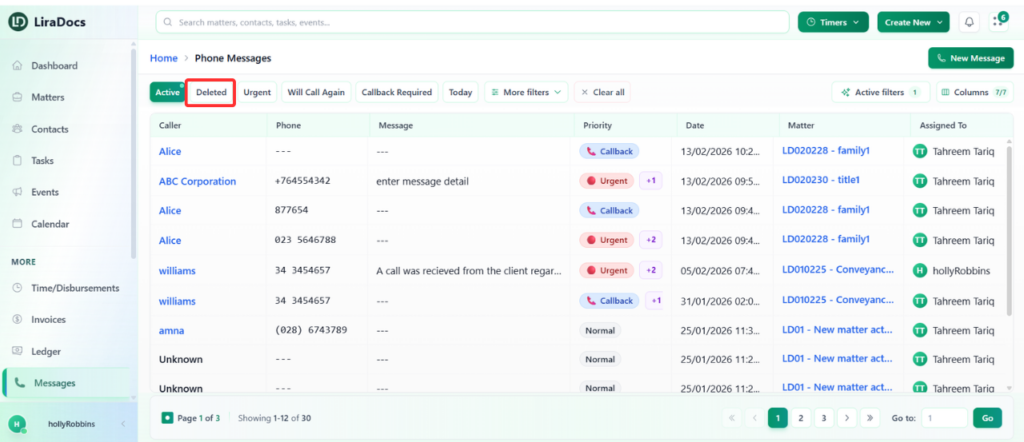
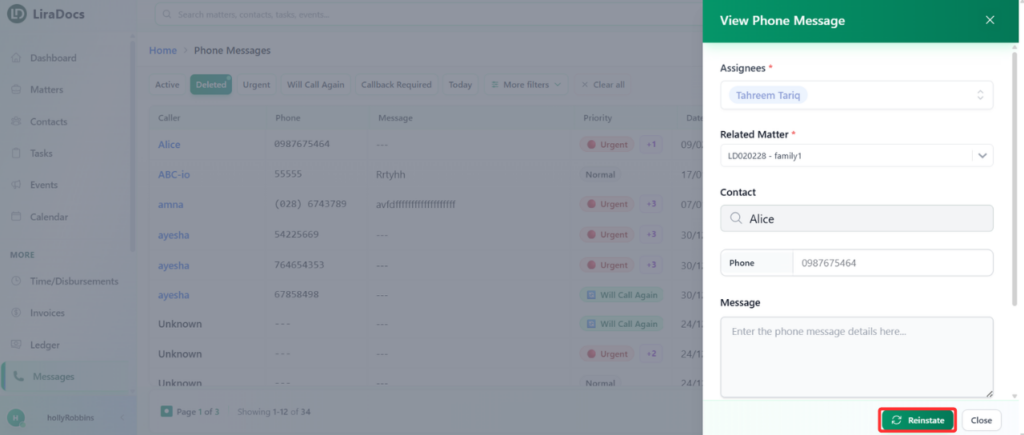
If a message has been deleted in Liradocs, it can still be restored from the Deleted Messages section. Reinstate a message to move it back to the list of active messages.
Follow the steps below to reinstate a deleted message.
Step 1: Open the Messages Section
Navigate to the Messages tab in Liradocs.
Step 2: Go to Deleted Messages
Inside the Messages section, open the Deleted Messages list.
This section contains all messages that have been removed but can still be restored.
Step 3: Select the Message
Locate the message you want to restore.
Click on the message to open its details.
Step 4: Reinstate the Message
Click the Reinstate button.
The message will immediately be restored.
Step 5: Verify the Restored Message
Return to the Active Messages section.
The reinstated message will now appear in the list of active messages.
The deleted message has now been successfully restored in Liradocs.