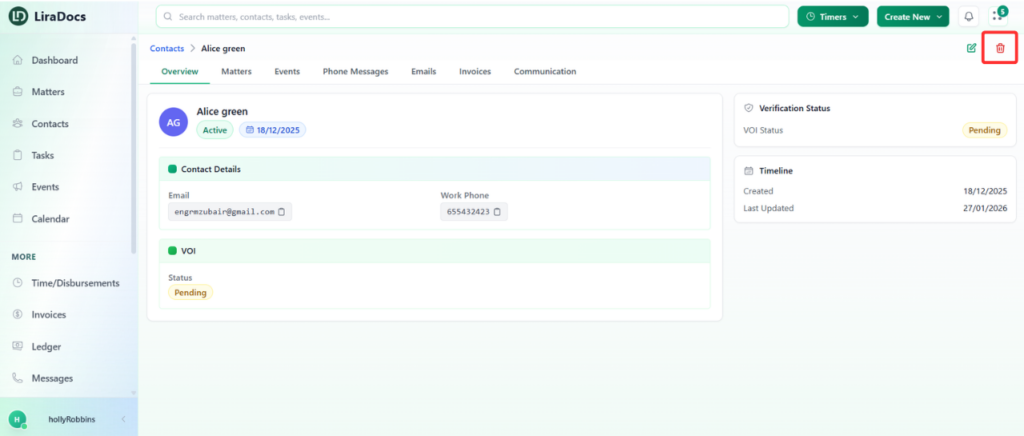
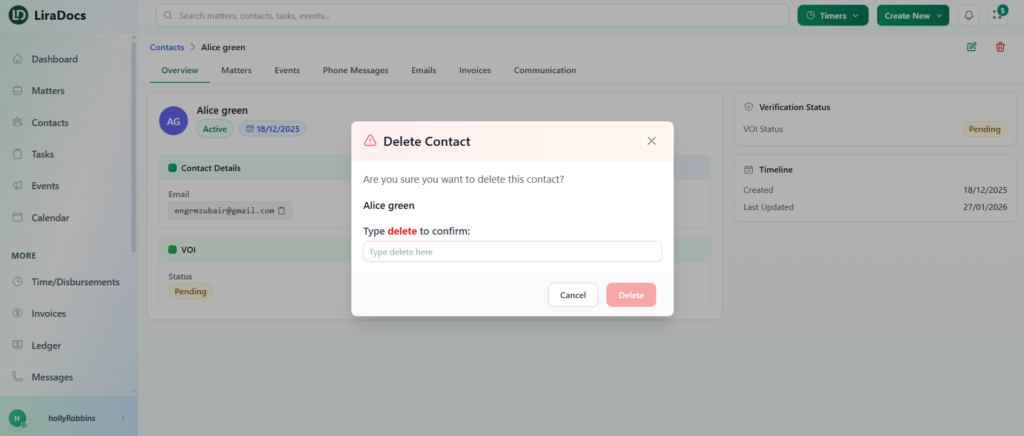
How to Delete a Contact Estimated reading: 1 minute 9 views You can delete a contact in Liradocs when it is no longer needed in your system. Follow the steps below to remove a contact from your contact list.Step 1: Go to the Contacts SectionOpen Liradocs.Navigate to the Contacts section from the main menu.Step 2: Select the ContactLocate the contact you want to delete from the list.Click on the contact to open its details page.Step 3: Delete the ContactClick the Delete icon on the contact page.A confirmation prompt will appear.In the confirmation field, type delete. Step 4: Confirm DeletionClick the Delete button to confirm.The contact will now be successfully deleted from Liradocs.Deleting a contact removes it from your active contact list, helping keep your records clean and organized.