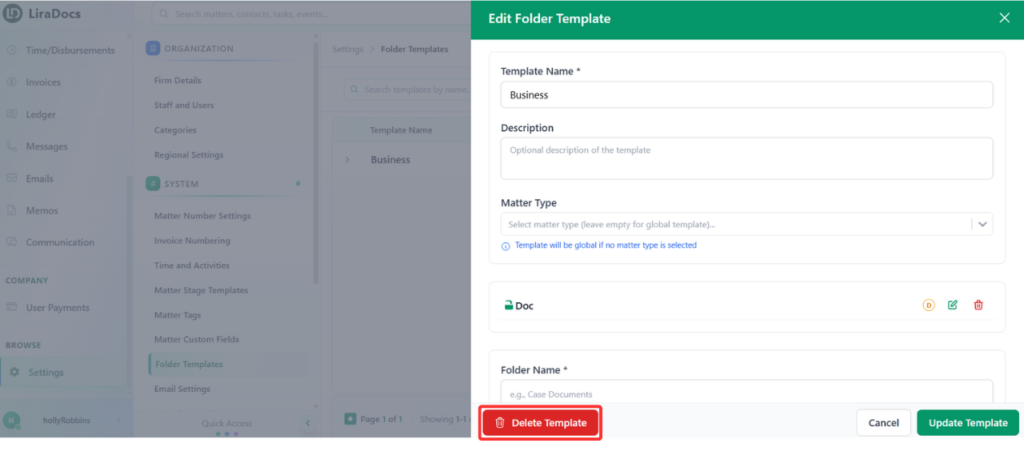
How to Delete a Folder Template Estimated reading: 1 minute 12 views Folder templates help standardize your folder structure for matters. If you need to remove a template that is no longer needed, follow these steps.Step 1: Navigate to Folder TemplatesGo to Settings in Liradocs.Select Folder Templates from the settings menu.Step 2: Select the Template to DeleteFrom the list of folder templates, find the template you want to delete.Click on the template to open its details. Step 3: Delete the TemplateClick the Delete Template button.A confirmation message will appear.Click Delete Template again to confirm.Your folder template has now been successfully deleted from Liradocs.