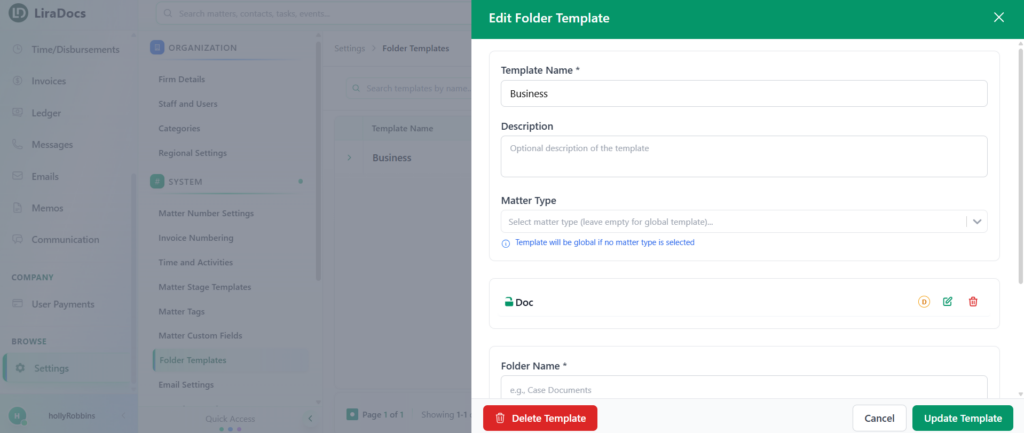
Folder templates help standardize how documents are organized across matters. If you need to update an existing template, you can easily edit it by following the steps below.
Step 1: Navigate to Folder Templates
Go to Settings in Liradocs.
Click on Folder Templates.
You will see a list of all existing folder templates.
Step 2: Select the Template to Edit
From the list, locate the folder template you want to edit.
Click on the template to open it.
Step 3: Edit Folder Name
Find the folder you want to update within the template.
Click the Edit button next to the folder.
Make the required changes to the folder name.
Click Update Folder to save the changes.
Step 4: Update Template Details (Optional)
If needed, you can also update the template description or make other adjustments to the template.
Step 5: Save the Template
Once all changes are completed, click the Update Template button.
Your folder template is now successfully updated in Liradocs.