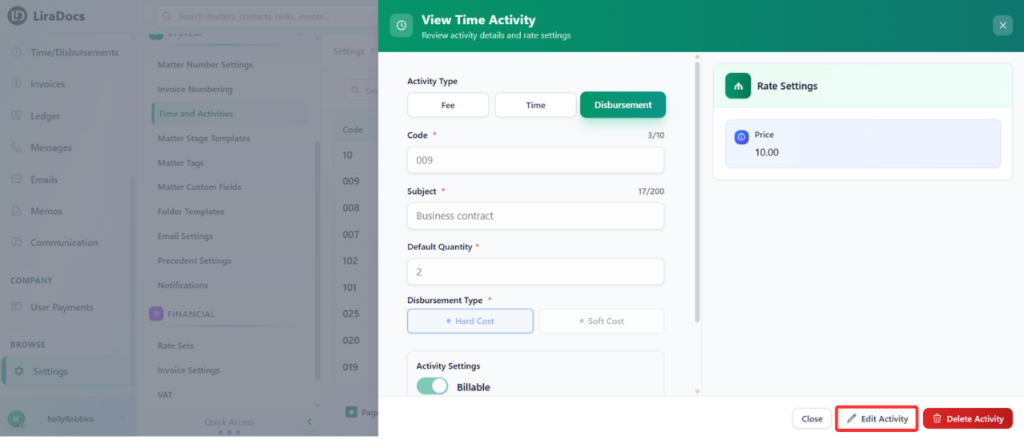
Time fee activities define how time is recorded and billed within Liradocs. If you need to update an existing activity, you can easily edit its details by following the steps below.
Step 1: Navigate to Time & Activities
Go to Settings in Liradocs.
From the settings menu, select Time & Activities.
Step 2: Select the Activity to Edit
From the list of activities, locate the time fee activity you want to edit.
Click on the activity to open its details.
Step 3: Edit the Activity
Click the Edit button.
Make the required changes, such as:
Default Quantity: Update the default time value for the activity.
Billing Type: Set the activity as billable or non-billable.
Step 4: Save Changes
Once all changes are completed, click the Update button.
Your time fee activity will be successfully updated.
Updating time fee activities ensures accurate time tracking and billing within your firm.