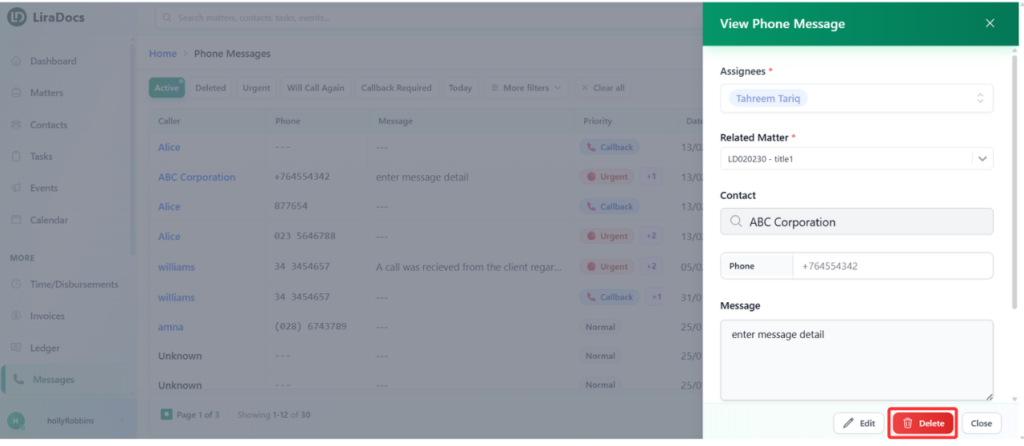
If a phone message is no longer needed, you can remove it from the system by deleting it. Follow the steps below to delete a phone message in Liradocs.
Step 1: Go to the Messages Tab
Navigate to the Messages section in Liradocs.
This section displays the list of all messages.
Step 2: Open the Message
Locate the phone message you want to delete.
Click on the message to open its details.
Step 3: Delete the Message
Click the Delete button.
A confirmation prompt will appear.
Step 4: Confirm Deletion
Click Delete again to confirm the action.
The phone message will be removed from the system.
The selected phone message has now been successfully deleted in Liradocs.