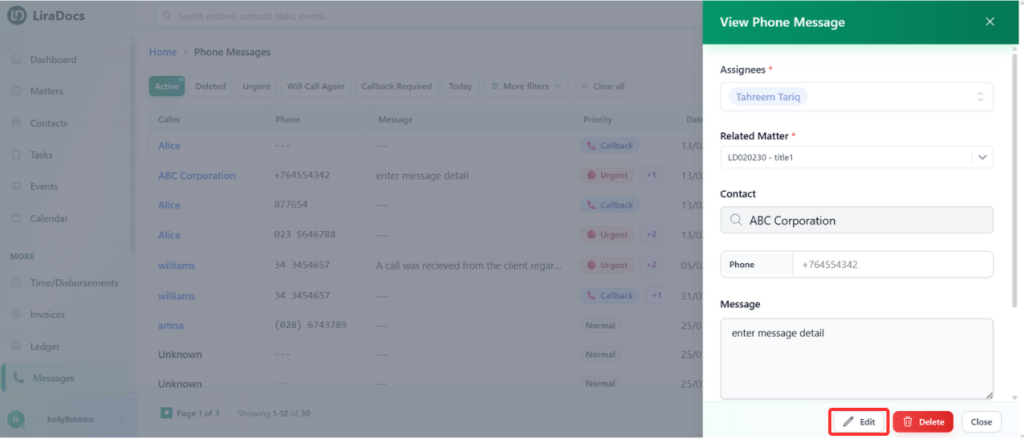
If you need to update the details of a phone message, Liradocs allows you to easily edit existing messages. This helps ensure that message information remains accurate and up to date.
Follow the steps below to edit a phone message.
Step 1: Go to the Messages Section
Navigate to the Messages tab in Liradocs.
Locate the message you want to edit.
Step 2: Open the Message
Click on the message to open its details.
Step 3: Edit the Message
Click the Edit button.
Make the required changes to the message. For example, you can:
Update the message content.
Enable the Call Back Required option if a response is needed.
Modify any other relevant details.
Step 4: Save the Changes
After making the necessary updates, click the Update Message button.
The message will be saved with the updated information.
The phone message has now been successfully updated in Liradocs.