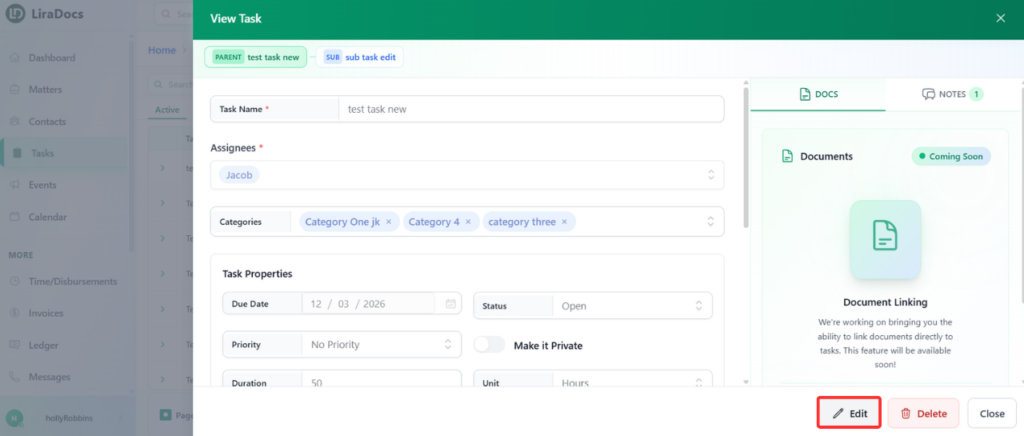
You can easily update a task in Liradocs if you need to change its details, such as the duration, description, or other task information. Follow the steps below to edit an existing task.
Step 1: Open the Tasks Section
Navigate to the Tasks tab from the main menu.
Locate the task you want to update from the task list.
Step 2: Open the Task
Click on the task you want to edit.
This will open the task details page where you can view all the information related to that task.
Step 3: Edit the Task
Click the Edit button.
You can now update any of the task details as needed, such as:
Task Duration
Task Description
Any other editable fields available in the task.
Step 4: Save Your Changes
After making the necessary updates, click Save Changes.
The task will be updated and the new information will be saved.
Editing tasks helps ensure your workflow remains accurate and up to date as responsibilities, timelines, or task details change.