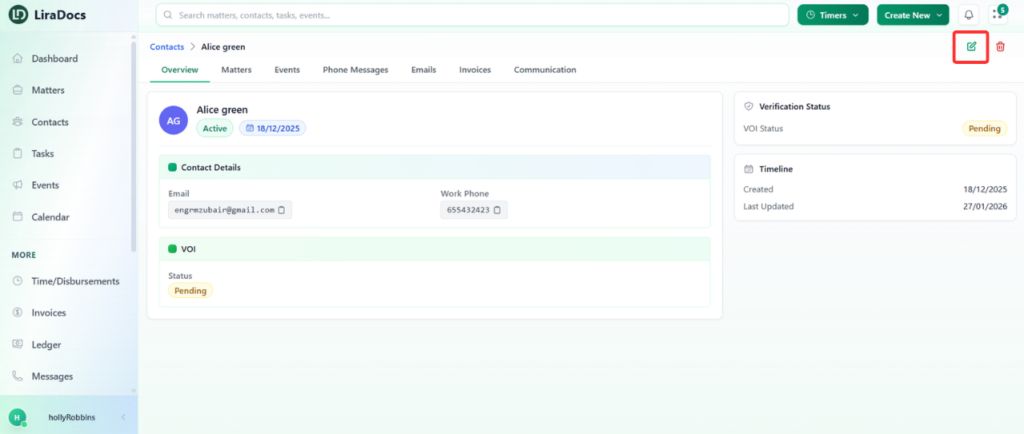
Contacts in Liradocs store important information about individuals and organizations related to your matters. If you need to update a contact’s details, you can easily edit the existing record.
Follow the steps below to edit a contact in Liradocs.
Step 1: Go to the Contacts Section
Navigate to the Contacts section from the main menu.
You will see a list of all available contacts.
Step 2: Open the Contact
Locate the contact you want to edit.
Click on the contact to open the contact profile.
Step 3: Edit the Contact Details
Click the Edit icon to enable editing.
Update the required information. For example, you may change:
Organization name
Contact name
Email address
Phone number
Any other available contact details.
Step 4: Save the Changes
After making the necessary updates, click the Update button.
The contact information will be saved and updated successfully.
Updating contacts ensures that your firm always has accurate and up-to-date information for clients, organizations, and other related parties.