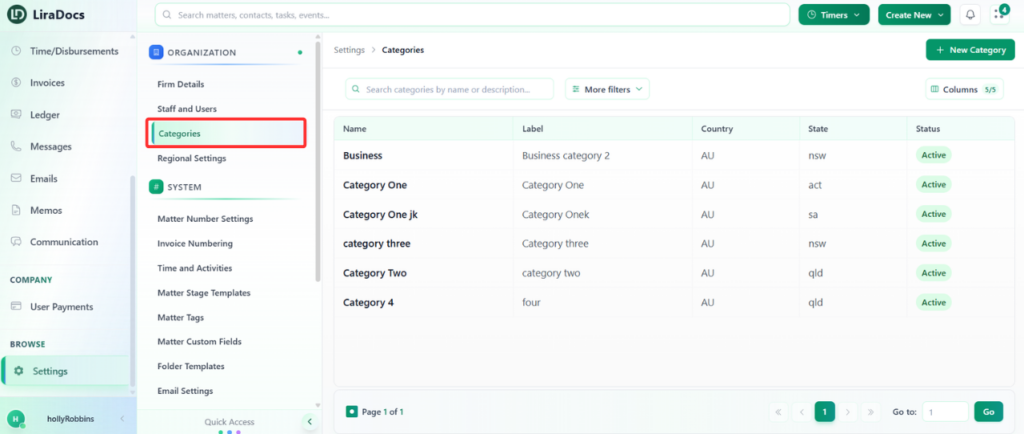
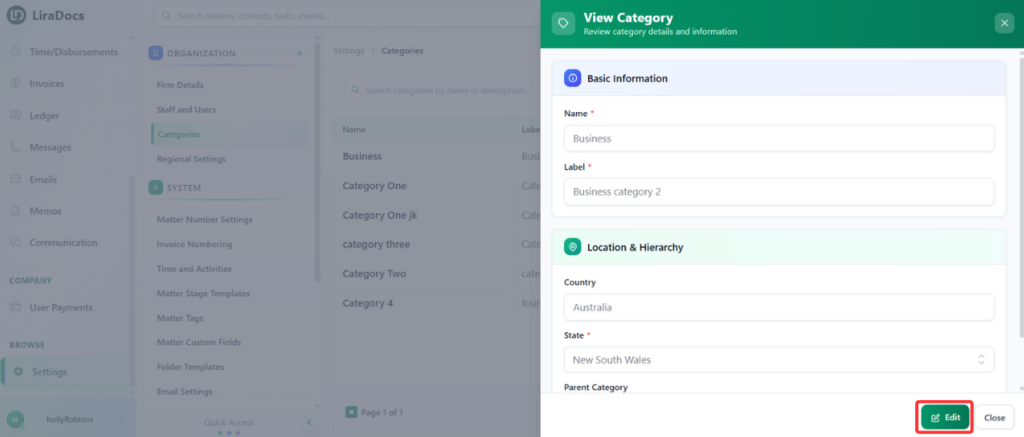
How to Edit a Matter Category Estimated reading: 1 minute 12 views Matter categories help you organize and classify your matters. If you need to update the information of an existing category, follow these steps.Step 1: Navigate to CategoriesGo to Settings in Liradocs.From the settings menu, select Categories. Step 2: Select the Category to EditFrom the list of categories, find the category you want to edit.Click on the category to open its details.Step 3: Edit the CategoryClick the Edit button to make changes.Update the information as needed, such as:Category Label – Change the name or label of the category.State – Update the state associated with the category. Step 4: Save ChangesOnce all changes are made, click Update.Your matter category is now successfully updated in Liradocs.This process ensures that your categories remain accurate and organized for better matter management.