You can delete a matter in Liradocs when it is no longer required or was created by mistake. Deleted matters are not permanently removed immediately, they are moved to the Deleted section, where they can still be viewed using filters.
Follow the steps below to delete a matter.
Step 1: Go to the Matters Section
Open Liradocs.
Click on the Matters tab from the main navigation menu.
Step 2: Open the Matter
From the list of matters, locate the matter you want to delete.
Click on the matter to open its details.
Step 3: Select Delete Matter
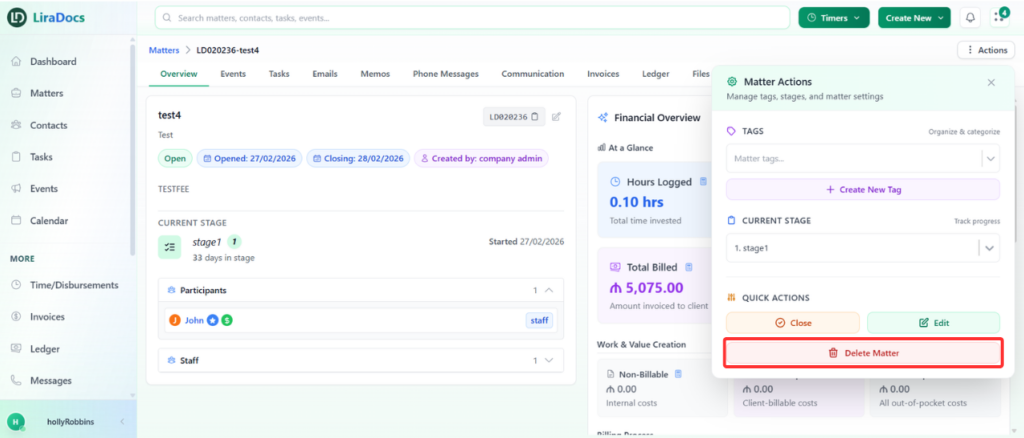
Click the Actions button inside the matter page.
From the dropdown menu, select Delete Matter.
Step 4: Confirm the Deletion
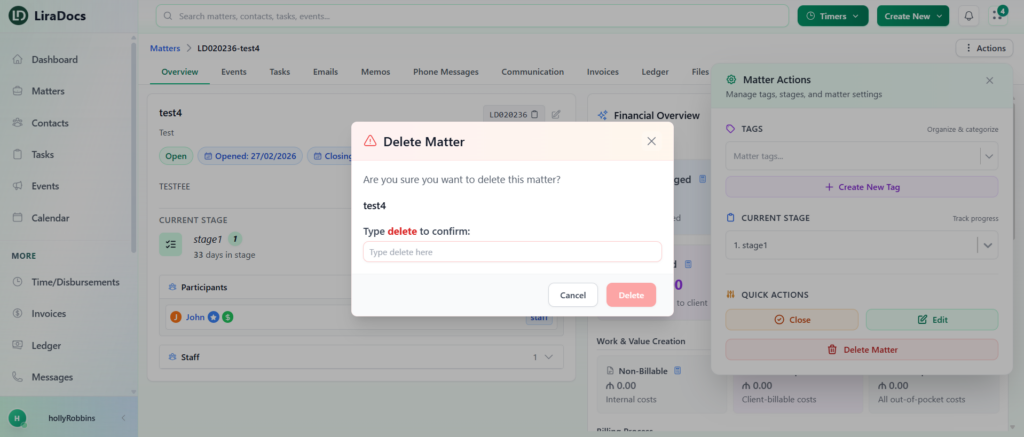
A confirmation prompt will appear.
Type delete in the confirmation field.
Click the Delete button to complete the action.
Step 5: View Deleted Matters
Go back to the Matters list.
Apply the Deleted filter.
The deleted matter will now appear in the Deleted section.
Deleting matters helps keep your workspace organized while still allowing you to track removed records through the deleted filter.