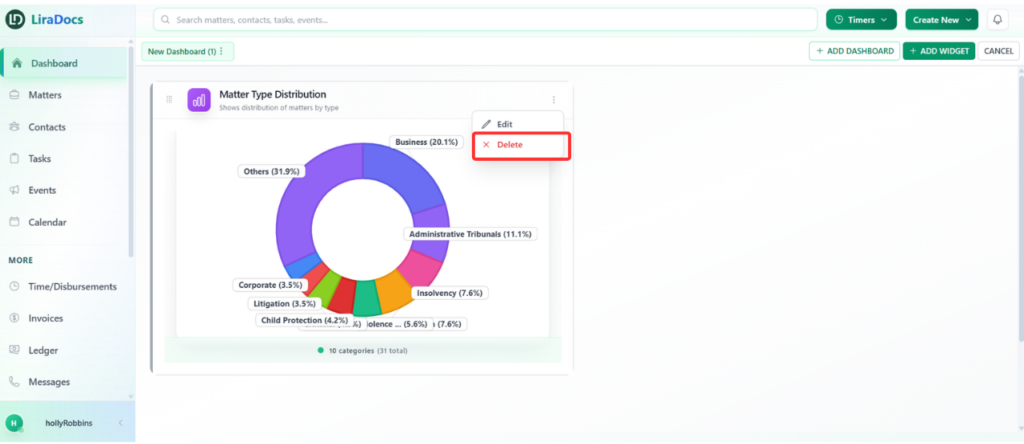
If a widget is no longer needed on your dashboard, you can easily remove it. Deleting a widget helps keep your dashboard organized and focused on the information that matters most.
Follow the steps below to delete a dashboard widget in Liradocs.
Step 1: Locate the Widget
First, go to your Dashboard and find the widget that you want to remove.
Step 2: Open the Widget Options
On the widget, click the three dots (⋯) menu located in the corner of the widget.
This will open a list of available options.
Step 3: Select Delete
From the options menu, click Delete.
Step 4: Confirm Deletion
A confirmation prompt will appear.
Type delete in the confirmation field, then click Remove Widget.
The widget will now be permanently deleted from your dashboard.